The Visual Language of Diplomacy: Icons for Clear Communication
In any field, clarity is power. When we think of diplomacy, we often think of negotiation, strategy, and complex interpersonal dynamics. But at its core, diplomacy is about communication—the clear, effective exchange of ideas to build understanding and achieve goals. This principle transcends international relations; it applies directly to design, user interfaces, and content creation. A well-chosen set of Diplomacy icons can become a visual shorthand for concepts like agreement, partnership, negotiation, and trust, allowing you to communicate complex ideas instantly and elegantly.
Beyond the Conference Table: The Creative Utility of Diplomacy Icons
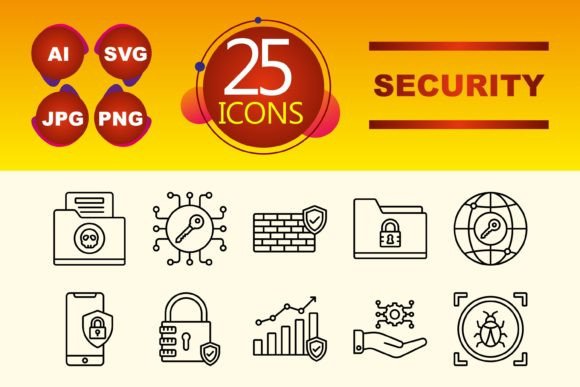
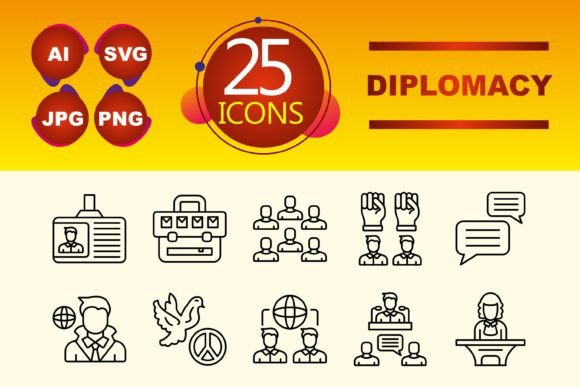
This specific collection of ten line-style icons distills the essence of diplomatic concepts into clean, scalable graphics. The line icon style is particularly valuable for its simplicity and modernity. It avoids visual clutter, ensuring the symbol’s meaning is forefront, which is itself a diplomatic design principle. The included file formats—AI, JPG, PNG, and SVG—are a practical toolkit. SVG files ensure sharp rendering on any screen size, perfect for web and app development, while AI files offer endless customization for designers who want to adapt the icons to a specific brand palette or integrate them into larger illustrations.
What makes these icons interesting is their interpretive flexibility. An icon representing a “handshake” can literally symbolize a deal or partnership. But in a different context, it could represent collaboration, teamwork, or even the successful completion of a user onboarding process. An icon of a “balanced scale” might denote fair negotiation, but it could also be used to represent ethical business practices, data equality, or a well-designed user experience that weighs different needs. This ambiguity is a strength, allowing creators to imbue the icons with meaning specific to their project.
Applied Diplomacy: Project Ideas and Practical Uses
Let’s move from abstract potential to concrete application. How can you deploy this visual language across different formats and for different audiences?
For User Interface & App Design
In mobile apps or web platforms dealing with sensitive transactions, community building, or collaborative tools, these icons provide intuitive navigation. Use a “document with seal” icon to denote a terms of agreement section. A “dialogue bubble” icon could visually flag a feedback or support channel. For a freelancer platform, an “interlocked rings” symbol might beautifully represent a confirmed contract or partnership. The key is consistency: establish what each icon means within your system and use it uniformly to build user familiarity and trust.
Enhancing Presentations and Infographics
Marketers and educators can leverage these icons to create more engaging narratives. In a presentation about a new corporate partnership strategy, use the icons as recurring visual themes to punctuate key points—introducing a “telescope” icon for long-term vision, or a “shield” icon for risk mitigation. In an infographic explaining conflict resolution steps, the line icons can serve as clean, recognizable markers for each phase, making the information more digestible and memorable than text alone.
Template Customization for Blogs and Publishers
Bloggers and small business owners often use pre-made website templates. These Diplomacy icons can be easily integrated to create a unique branded feel. Replace generic social media icons in a footer with a “handshake” icon linking to a partnership page. Use a “balanced scale” icon next to a tagline about fair pricing. This subtle customization moves a template beyond its generic origins, signaling thoughtfulness and a specific values-driven message to your audience.
Adapting the Language for Your Audience
The effectiveness of these icons depends on your audience’s interpretation. A tech-savvy audience might appreciate the minimalist line style as modern and efficient. An audience in traditional sectors might associate the icons more directly with classic symbols of agreement and trust. Your adaptation happens in two places: context and styling.
Always provide contextual reinforcement. Don’t rely solely on an icon; pair it with a clear label or a brief explanatory text, especially on first use. This teaches your audience your visual language. Secondly, use the provided AI files to stylistically adapt the icons. You might subtly adjust line weight to match your website’s typography or recolor the set using your brand’s secondary color palette to ensure visual cohesion. This maintains the icon’s core meaning while making it an organic part of your design ecosystem.
Maintaining Clarity and Originality
While these icons are versatile, avoid overextension. Don’t force an icon to mean something it clearly doesn’t; this breaks the visual contract with your user. For example, using a “shield” icon purely for “security” is logical, but using it for “speed” would confuse. To keep your use original, consider combining icons with your own content. An icon of a “telescope” placed over a custom data visualization chart can uniquely represent “data insight” or “future projections.” The icon supports and elevates your original material, rather than replacing it.
Ultimately, this set of Diplomacy icons is a tool for reducing friction in communication. Whether you’re designing an app that requires users to trust a process, creating a presentation that needs to convey complex agreements simply, or branding a blog that stands for thoughtful engagement, these graphics offer a path. They help you say more with less, and in a world saturated with information, that is a significant advantage. Start by asking what core diplomatic concepts—like agreement, vision, protection, or dialogue—are relevant to your project. Then, let these clean, adaptable symbols do the work of making those concepts visible, immediate, and understood.