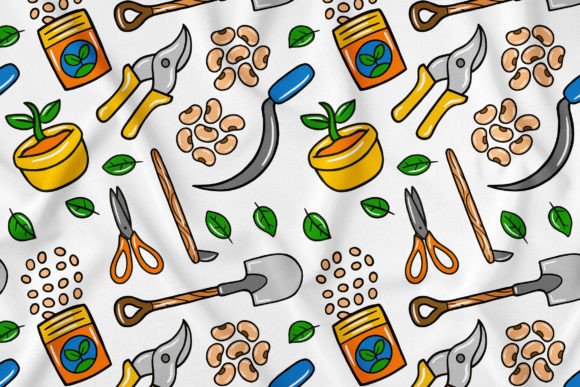
Unlocking Creativity with Farmer Kawaii Doodle Seamless Pattern 01
Imagine a resource that not only looks delightful but also offers genuine creative freedom. Farmer Kawaii Doodle Seamless Pattern 01 is precisely that: a comprehensive pack of 100 super cute, doodle-style vector illustrations designed as a seamless pattern. At its core, it's a toolkit for visual storytelling, perfect for anyone who wants to inject a friendly, farm-inspired charm into their projects without being locked into a single static image.
The True Value Beyond the Cute Art
Many people see a pattern like this and think only of its immediate aesthetic appeal. This is a common starting point, but overlooking its functional depth is a mistake. The real interest in Farmer Kawaii Doodle Seamless Pattern 01 lies in its adaptability. Each element—from cheerful vegetables to whimsical animals—is an independent vector shape. This means you aren't just buying a background; you're acquiring a library of components you can resize, recolor, separate, and reassemble. For professionals creating brand materials or entrepreneurs designing a website, this transforms a single asset into a versatile brand aesthetic.
A Common Oversight: Assuming All Digital Art is Easy to Use
A frequent misunderstanding is equating high-resolution files with effortless customization. While this pattern provides JPGs for quick use, its power is in the vector files (AI, EPS, PDF). Beginners might download the pack and immediately try to edit the JPG in a simple photo editor, leading to frustration with quality loss when resizing or inability to change colors. This mistake directly affects efficiency and final quality, resulting in pixelated prints or social media graphics that don't match your desired color scheme.
The better approach: Start with the vector files if you need customization. Even if you're new to Adobe Illustrator, many basic programs can open EPS or PDF files and allow you to select individual elements. Before using the asset, invest an hour in learning the very basics of vector editing—how to select a shape and change its fill color. This small learning step unlocks the entire "easy to edit" promise, saving you time and preserving professional quality across all applications.
Choosing the Right File for Your Purpose
Not all files in a bundle serve the same purpose, and using the wrong one can undermine your project. Here’s a practical breakdown:
- AI/EPS/PDF (Vector): Use these for any design requiring scaling (like large banners or small icons) or color changes. They are essential for printing material and creating your own combined illustrations.
- JPG (High Resolution): Perfect for quick placements where the design is used as-is—for instance, a temporary social media post background or a website section where you won't need to alter colors.
A common error is using the 5000x5000 pixel JPG for a tiny web icon, which slows down your site, or trying to print the JPG for a massive banner, which may lack sharpness. Check your project's size and customization needs first. For infographics where you'll rearrange elements, the vector file is mandatory. For a fixed landing page banner where the pattern fits perfectly, the high-res JPG might suffice.
Mistake in Isolation: Not Considering Seamless Integration
The "seamless" aspect is a feature often taken for granted. Some creators apply the pattern as a straightforward tile but don't check how it blends with other design elements. The result can be a visually busy background that clashes with text or overlays, making communication ineffective. The pattern is designed to be charming, not overwhelming.
Practical advice: Before finalizing any design, apply the pattern at a low opacity or in a muted color variation to test readability. Use it in specific sections rather than across the entire canvas. For educators or bloggers, perhaps use isolated elements from the pattern as decorative bullet points or section dividers rather than a full background. This approach maintains the cute style while ensuring your core content—the text or data—remains clear and accessible.
Color Customization: A Power Often Underutilized
The ability to change colors of every single shape is perhaps the most powerful yet overlooked feature. Many stick to the default palette, which limits the pattern's applicability across different brand identities or seasonal campaigns.
For example, a marketer might use the default green and yellow for a spring campaign but hesitate to adapt it for autumn. By not recolorizing the elements—turning pumpkins orange or leaves brown—they miss an opportunity to create cohesive, season-specific marketing material without sourcing new assets. This affects cost and presentation consistency. A better choice is to establish a primary color scheme for your brand and then systematically apply those colors to key elements within the pattern, creating a unique and recognizable visual language.
Before You Decide: Check Your Tool Compatibility
A crucial step before purchase or download is verifying software compatibility. While the pack is compatible with Adobe Illustrator, many free or alternative vector programs (like Inkscape or Affinity Designer) also handle EPS files. Don't assume you need expensive software; check what your current tools can open. Furthermore, confirm that your printing service or web platform supports the file formats you intend to use. This pre-check prevents the frustrating scenario of having a beautiful asset you cannot effectively implement.
Ultimately, Farmer Kawaii Doodle Seamless Pattern 01 is more than just a cute doodle pattern. It's a scalable, editable creative foundation. By avoiding the common pitfalls of misusing file types, neglecting the seamless property, and underutilizing color customization, you can harness its full potential. Whether you're a freelancer crafting a client's brand, a hobbyist making personalized gifts, or a small business owner designing your website, approaching this resource with a strategic, tool-aware mindset will yield infinitely better results. Focus on the vector core, experiment with composition, and have fun creating something uniquely yours.