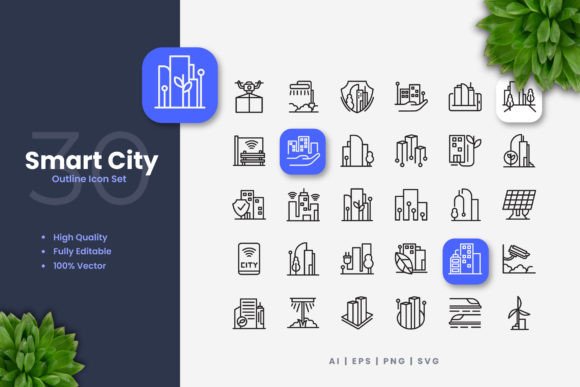
Iconography as a Foundational Layer in Smart City Communication
In the architectural blueprint of a smart city, the most critical component is often invisible. It is not the fiber optic cable, the sensor array, or the data cloud. It is the system of communication that allows citizens, administrators, and technologies to interface seamlessly. This system relies heavily on a universal visual language—a set of symbols and icons designed for clarity, speed, and comprehension. The proliferation of digital interfaces in urban management, from public transit apps to energy consumption dashboards, demands a cohesive iconographic library. These visual elements become the points of interaction between the complex backend of urban intelligence and the everyday experience of the city dweller.
Characteristics of Effective Smart City Icon Sets
Designing symbols for urban technology contexts requires adherence to a distinct set of principles. The primary goal is immediate recognition across diverse demographics, often under conditions of stress or haste. A person glancing at a public kiosk to locate the nearest electric vehicle charging station does not have time to decipher an ambiguous glyph. Therefore, successful smart city iconography leans heavily on established visual metaphors while innovating for new domains.
Simplicity and Scalability
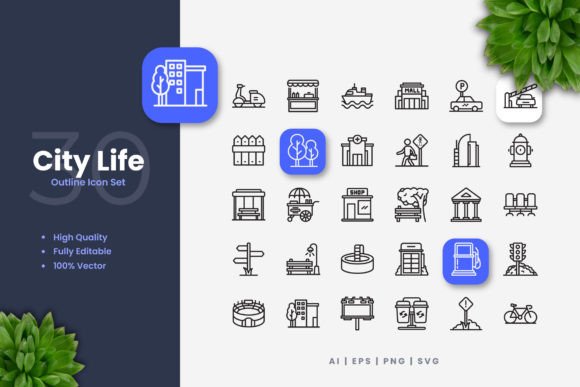
The core of a clean icon design is its reduction to essential geometric forms. This minimalism ensures the icon remains legible at various sizes, from the tiny favicon on a municipal website to a large banner promoting a city-wide recycling initiative. Overly detailed illustrations collapse when scaled down for mobile app navigation menus. A simple, clean icon design built on solid shapes and clear negative space maintains its integrity. This scalability is intrinsically linked to the technical provision of vector source files, such as AI and EPS formats, which allow graphics to be resized infinitely without loss of quality.
Semantic Clarity and Cultural Neutrality
An icon representing "smart parking" must convey its message without textual support to a driver who may speak any language. This often involves combining familiar elements—like a car silhouette—with a modifier suggesting intelligence, such as a stylized Wi-Fi signal or a brain motif. The challenge is to avoid cultural specificities that might confuse international residents or tourists. The icon set must function as a global lexicon for urban functions, making Smart City Icons a toolkit for inclusive design.
Customizability for Contextual Integration
No single municipality adopts the same visual identity. A set of icons must be malleable to align with a city’s existing brand palette and design guidelines. The ability to change color or edit stroke weight in software like Adobe Illustrator is not a luxury but a necessity. A transportation department might need to render all traffic management icons in a specific shade of orange to match its branding, while an environmental agency might require thicker stroke weights for better visibility on outdoor digital displays. This editable stroke characteristic ensures the icons are assets, not constraints.
The Multifunctional Utility of Urban Icon Libraries
The application of a well-crafted icon set extends far beyond digital screens. Its utility permeates the physical and promotional spheres of city life, forming a consistent thread across mediums.
Digital Interfaces and Public Applications
The most direct application is in the software that citizens use daily. Mobile applications for reporting infrastructure issues, accessing library services, or paying utilities rely on intuitive icons for navigation. City-owned websites use these symbols to categorize services, making dense information hierarchies visually navigable. Educational platforms for schools and community centers utilize these icons in interactive modules explaining urban sustainability. The drag-and-drop nature of provided SVG and PNG files accelerates the development of these interfaces.
Print and Physical Media for Broad Dissemination
While the smart city is digital, communication often requires analog anchors. Flyers, posters, and banners at bus stops or community centers employ icons to quickly advertise new smart initiatives—like a bike-sharing program or a public air quality monitoring network. Printed books and manuals for urban planners and engineers use these icons as visual references. Infographics distributed via social media to summarize annual smart city reports depend on a recognizable icon set to convey data points like "reduced energy consumption" or "increased broadband coverage." The availability of high-resolution PNG files with transparency ensures these icons blend seamlessly into any layout.
Supporting Professional and Educational Workflows
For professionals—from graphic designers at marketing agencies to UX designers at software firms—a comprehensive, ready-to-use icon library eliminates hours of asset creation. They can focus on higher-level design problems. Educators and researchers creating presentations or papers on urban technology can use these icons to visually code concepts, making complex topics more accessible. Business owners developing services that interface with city infrastructure, like a café offering a public charging station, can use official icons in their signage to signal compliance and integration. The included readme.txt file typically provides this crucial guidance on usage rights and technical specs, ensuring proper implementation.
Technical Considerations for Deployment and Adaptation
Adopting a pre-designed icon set is a strategic decision with technical dimensions. The promise of easy customization hinges on the formats provided and the skills available.
The Central Role of Vector Source Files
The true value of a professional icon set lies in its vector source files, usually an Adobe Illustrator (AI) file and an EPS version 10 file. These are the master blueprints. They allow a designer to deconstruct the icon, modify its paths, alter its colors fundamentally, and adapt it to novel contexts. This is distinct from simply using a PNG where modification is limited to crude cropping or masking. For a city’s IT department aiming to integrate icons into a custom-built analytics dashboard, the SVG file format is paramount. SVG icons can be styled directly with CSS, animated for interactive displays, and remain sharp on any screen resolution.
Ensuring Quality and Consistency Across Outputs
The term "high quality design" in such packages refers to a disciplined construction process. Each icon should be built on a precise grid, with strokes that are mathematically consistent and shapes that are geometrically balanced. This internal rigor guarantees that when a hundred different icons are displayed together on a city service portal, they feel like a unified family, not a collection of disparate clip-art. This consistency reinforces the city’s brand as competent and organized. Furthermore, a set comprising 100 vector icons offers breadth, covering domains from public safety and healthcare to waste management and civic engagement, preventing the need for piecemeal asset gathering.
The Broader Impact on Public Perception and Engagement
Ultimately, the visual language of a smart city shapes how its intelligence is perceived. Clean, modern, and friendly icons can make advanced technology feel approachable and public-serving. Conversely, outdated, confusing, or harsh graphics can make systems feel bureaucratic and cold. A well-designed suite of Smart City Icons performs a subtle but vital public relations function. It humanizes data, simplifies complexity, and guides behavior. When a citizen sees a simple, positive icon representing "energy savings" on their home utility report, it reinforces a sense of participation and achievement. When a community sees consistent icons across all municipal touchpoints—from apps to flyers to posters—it builds trust in a coherent, designed city experience.
In this ecosystem, the icon set is not mere decoration. It is a functional infrastructure layer. Its design requirements—customizability, scalability, clarity—mirror the requirements of the smart city itself: adaptable, resilient, and user-centric. The provision of editable files for vector software acknowledges that a static solution is insufficient for a dynamic urban environment. The city evolves, its services expand, and its visual language must be capable of evolving alongside. Therefore, investing in a robust, professionally crafted icon library is not a graphic design choice alone; it is a strategic decision for effective civic communication and technological integration.