The Visual Language of Intelligence: How AI Icons Bridge Understanding and Design
In the digital landscape, symbols act as a universal shorthand, conveying complex ideas through simple forms. As artificial intelligence integrates deeper into our tools, workflows, and daily lives, a new visual vocabulary has emerged. Artificial intelligence icons have become essential elements, serving not just as decorative assets but as functional components that communicate the presence, action, and nature of AI-powered systems. These icons represent neural networks, machine learning processes, data analytics, and robotic automation in a way that is immediately recognizable across cultures and disciplines.
The Core Characteristics of Effective AI Iconography
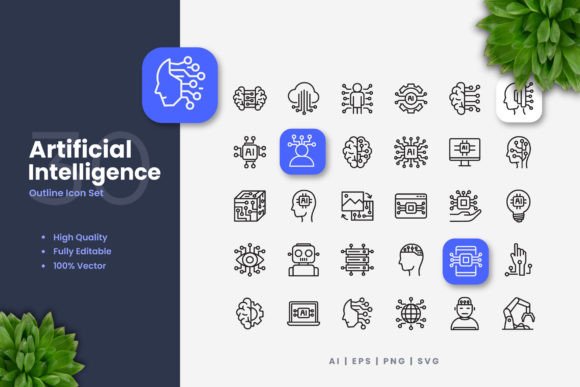
Effective AI icon sets share several defining characteristics. First is simplicity and clarity. A successful icon reduces a multifaceted concept like "natural language processing" or "predictive algorithm" into a clean, geometric form—perhaps a stylized brain combined with a speech bubble or a graph with a trending arrow. This simplicity ensures the icon remains legible at various sizes, from a tiny app button to a large poster header.
Second is semantic accuracy. The design must intuitively connect to the underlying technology. Common motifs include circuit-like neural webs, representations of data flow, robotic eyes or limbs, and abstractions of learning loops. These visual metaphors ground the abstract concept of AI in familiar imagery, aiding comprehension.
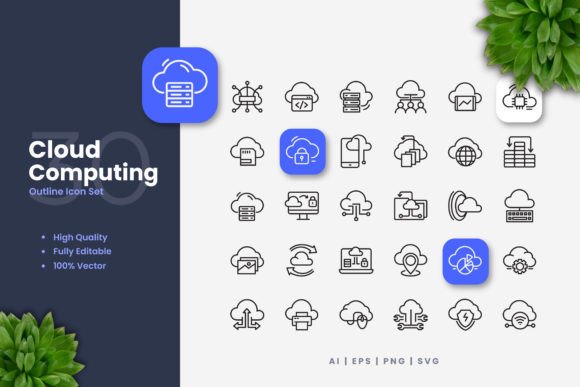
Third is systematic cohesion. A useful icon set is not a random collection but a designed family. Icons maintain consistent stroke weights, corner radii, and stylistic approaches, allowing them to work together in interfaces, infographics, and documentation. This cohesion creates a professional and trustworthy visual environment, which is crucial for applications in enterprise software, educational materials, and technical publications.
The Vector Advantage: Unlimited Adaptability
The true power of professional AI icon sets lies in their format: they are provided as 100% vector files. Unlike static raster images like standard PNGs or JPEGs, vector graphics (such as those in AI, EPS, or SVG source files) are defined by mathematical points, lines, and curves. This means they are inherently scalable. You can resize a vector icon from 16 pixels to 16,000 pixels without any loss of quality, blurring, or pixelation.
This scalability makes them perfect for multi-platform use. A single icon file can be deployed on a mobile app's dense screen, a website's responsive layout, a high-resolution print poster, or a social media flyer, all with perfect clarity. Furthermore, the editable nature of vector files in software like Adobe Illustrator or CorelDRAW allows for deep customization. Designers or content creators can easily change colors to match brand palettes, adjust stroke weights for thicker or finer lines, or even modify components to create derivative icons. This transforms a purchased asset into a flexible toolkit.
Real-World Applications Across Audiences
The utility of these icons spans a remarkably broad audience, each finding relevance in different aspects of the set.
For Professionals and Businesses
Software developers and UI/UX designers integrate AI icons directly into application interfaces. They use them to denote AI features—a chatbot assistant, a smart filter, or an automated report generator—providing users with clear visual cues. Business analysts and consultants use these icons in presentations and white papers to visually structure explanations of AI implementation strategies, data pipelines, or automated workflows, making complex reports more digestible for stakeholders.
For Educators, Researchers, and Students
In academic settings, clarity is paramount. Educators creating course materials on machine learning or data science use icons to diagram concepts. A simple icon representing a "training dataset" or "inference engine" can replace lengthy textual labels in slides and handouts, enhancing student understanding. Researchers illustrating papers or conference posters benefit from the professional, consistent look a cohesive icon set provides.
For Creators, Hobbyists, and Marketers
Content creators producing videos, blog graphics, or social media content about AI trends use icons as engaging visual elements. The PNG files with transparency are particularly handy here, allowing for easy drag-and-drop placement over various backgrounds. Marketing teams designing campaign materials for an AI-driven product or service utilize icons to create a strong, modern visual theme across banners, email newsletters, and print brochures.
Integrating Icons into Practical Workflows
The practical process of using these icons highlights their designed convenience. Typically, a comprehensive package includes multiple file formats to suit different tools and needs. The EPS Version 10 file ensures compatibility with a wide range of vector programs, including legacy systems. The SVG file is ideal for modern web development, as it can be embedded directly into code, styled with CSS, and animated. The source AI file offers the fullest editability in Adobe Illustrator.
The included PNG files with transparency serve as a quick-use option for individuals without vector software. They can be dragged into presentation tools, basic graphic editors, or document creators. A thoughtful package also includes a Readme.txt file with instructions on opening, editing, and attributing the files, which supports users of varying technical skill levels.
Considerations for Selection and Use
When choosing or applying an artificial intelligence icon set, several considerations ensure optimal results. First, assess the scope and completeness of the set. Does it cover the specific AI concepts you need to illustrate—from basic symbols for "AI" and "Robot" to more niche icons for "Computer Vision" or "Reinforcement Learning"? A set of 100 vector icons should offer wide coverage.
Second, consider the style alignment with your project's overall aesthetic. The clean, modern design described is versatile, but it should harmonize with your existing fonts, color schemes, and layout styles. The ability to edit stroke and color directly addresses this need.
Third, maintain contextual consistency. Use icons as a supportive visual language, not as decorative clutter. In an instructional infographic, each icon should consistently represent the same concept throughout. In a software interface, follow established UX principles for icon placement and labeling to avoid user confusion.
The Broader Impact: Demystifying Technology Through Design
Beyond their immediate utility, well-designed artificial intelligence icons perform a subtle, important societal function: they help demystify a rapidly advancing and sometimes intimidating field. By giving tangible visual form to intangible processes, they make AI more approachable. A small business owner looking at a diagram of a proposed AI inventory system, built with clear icons, can grasp the flow more easily than from a text-only description. A student encountering a friendly, stylized "neural network" icon in a textbook may feel less daunted by the subject.
This visual bridging fosters broader engagement, understanding, and discussion. As AI continues to evolve, its iconography will likewise adapt, reflecting new paradigms and capabilities. The foundational principles of clean design, vector adaptability, and semantic clarity, however, will remain essential. Investing in a high-quality, customizable set of artificial intelligence icons is, therefore, an investment not just in a design asset, but in a tool for clearer communication, more effective education, and more intuitive creation across the vast and varied landscape of modern technology.