Gadget Icons: A Versatile Toolkit for Modern Projects
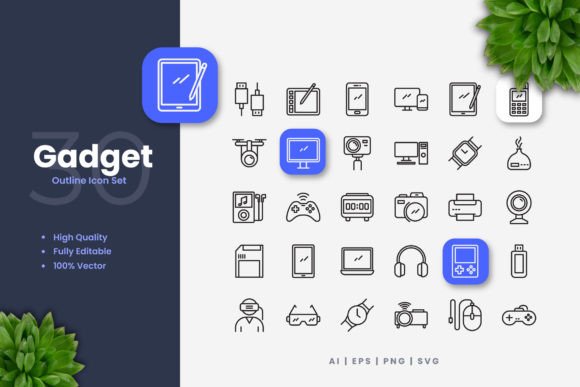
In the world of digital design, visual clarity is paramount. Gadget Icons offers a focused collection of 100 simple, clean symbols representing modern devices and tools. Their primary purpose is to serve as a reliable, high-quality visual resource for anyone needing to communicate concepts related to technology, applications, or digital interfaces quickly and effectively.
The Value of Simplicity and Flexibility
Why choose a set like Gadget Icons? The answer lies in their dual strengths: aesthetic consistency and practical adaptability. Each icon is crafted with a clean line style, avoiding unnecessary complexity. This simplicity makes them instantly recognizable at various sizes, from a tiny favicon on a website to a large graphic on a printed poster. Their value extends beyond just looking good; they solve the common problem of visual inconsistency. When you use Gadget Icons across a project, you maintain a coherent professional look without spending hours designing each symbol from scratch.
This collection appeals to a wide audience because it supports fundamental goals: enhancing communication, saving time, and elevating design quality. A blogger can use them to make a tutorial more visually engaging. A startup founder can integrate them into a pitch deck to illustrate their app's features. An educator might place them on instructional materials to denote digital tools. The clean design ensures they don't clash with your existing brand colors or layout, acting as a supportive visual layer rather than a dominating one.
Where You Can Use These Icons
The application scenarios for Gadget Icons are remarkably diverse. Think about your last project that needed a visual element for a smartphone, a camera, a settings menu, or a network symbol. That's where this set shines.
For digital contexts, they are perfect for website menus, mobile app buttons, social media graphics, and online infographics. Their clean style aligns with modern web design principles that favor clarity and speed. In print, you can seamlessly incorporate them into flyers, brochures, banners, and posters. Because they are vector-based, scaling them up for a large conference banner won't result in a pixelated, blurry image. Even for non-digital uses like books or manuals, these icons provide clear visual cues that help readers navigate content.
A practical example: a freelance marketer creating a social media campaign for a new tech product can drag and drop a relevant Gadget Icon onto each post, ensuring a consistent thematic thread. A small business owner designing a simple "How to Connect" flyer for their service can use the wifi or device icons to guide customers visually. The key is that these symbols integrate without requiring deep design expertise.
Important Features and File Formats
Understanding the technical aspects of Gadget Icons helps you utilize them fully. The set comes with 100 unique vector icons. 'Vector' is the crucial term here. Unlike a standard photograph (a PNG, for example), a vector graphic is built from mathematical paths. This means you can resize it infinitely without any loss of quality. You can also change every aspect of its appearance.
If you have access to vector software like Adobe Illustrator or CorelDRAW, you can open the source files and customize the icons to match your exact needs. You can alter the color to fit your brand palette, adjust the stroke weight (the line thickness) for a heavier or lighter look, or even combine elements. This level of customization is what makes such a resource powerful for professionals who need precise control, while still being accessible for beginners who might just use the ready-made PNG files.
The included files cover most common needs:
- Source File (.Ai): The native Adobe Illustrator file for maximum editability.
- EPS Version 10: A standard vector format compatible with many older and newer design programs.
- SVG File: Ideal for modern web development, as SVGs can be scaled and styled directly with code.
- PNG Transparency: Ready-to-use raster images with transparent backgrounds for quick placement in documents, presentations, or basic image editors.
- Readme.txt: A simple file containing any necessary instructions or notes.
A critical note is that a preview mockup is not included. This means the purchase is for the icon files themselves, not for example images showing them placed in a fictitious website or brochure template. You are receiving the raw tools to build your own designs.
Considering Your Own Needs and Tools
Before deciding if Gadget Icons are right for you, consider two main things: your design goals and the software you use. If your project requires a batch of cohesive, technology-themed symbols and you value a clean, modern aesthetic, this set aligns well. If you need highly detailed, photorealistic, or themed icons (like medieval weapons or kitchen utensils), then a different collection would be more suitable.
On the software side, if you plan to do advanced customization like changing stroke weights or colors, you will need a vector-editing application. For many casual users, bloggers, or educators, the provided PNG files might be perfectly sufficient. You can drag and drop these transparent PNGs into tools like Canva, Google Slides, Microsoft Word, or basic image editors to achieve great results without any specialized software. The vector files are there for when your needs grow or when professional consistency across many mediums becomes essential.
A Resource for Creative Growth
Ultimately, Gadget Icons is more than just a folder of files. It's a versatile toolkit that empowers your communication. By providing a foundation of quality design, it allows you to focus on your message, your content, and your layout. Whether you are building your first website, crafting a professional report, launching a marketing campaign, or creating educational materials, having a reliable set of visual assets removes one significant variable from the creative process. You can trust that the icons will look sharp everywhere, from a smartphone screen to a printed page, giving your projects a polished, competent finish that engages your audience effectively.